


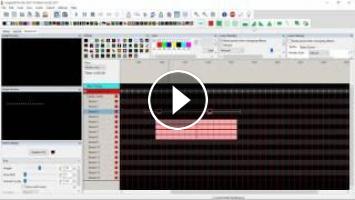
A teaser of some upcoming functionality for easier sequencing of AC lights in xLights
- Category
- Sequencing
- Tags
- AC, Dumb
Post your comment
Up Next
-
53:40

VCS 2020 How to Setup and Start a Sequence - Clyde Lindsey
-
07:46
Convert XLights 4 Sequence into Light O Rama S4 Sequence
-
18:45
Complete Guide to Convert an LOR sequence for running in XLights! Part 2
-
08:02
Copy Xlights 4 effects in to a Second XL4 Sequence
-
05:40
Convert XLights 2016 sequence to LOR LMS file
-
37:08
Importing a xLights sequence
-
21:44
Complete Guide to Convert an LOR sequence for running in XLights! Part 1
-
53:20
VCS 2020 Importing and Mapping a Sequence - Ron Howard
-
20:56
xLights Sequence Import Tutorial
-
03:47
Light Of Christmas Christmas Lights Sequence
-
06:26
2017 xLights around the World, Cant Stop the Feeling
-
29:07
Sub-Models Part 2, Sequencing with the new Pixel Spinner
-
10:35
EASY! Custom Models NEW for xLights 2018!
-
42:05
xLights 2017: VU Effect
-
2:25:44

xLights Beginner Seminar - September 2018
-
13:49
Fresh Install xLights 2017.30 with QM/Audacity Vamp Timing Plug-in
-
21:01
Xlights Queen Mary Vamp Plug-in Update for 2017
-
36:05
xEssentials - Planning Your Display
-
1:12:02
xEssentials - Layers & Rendering Styles
 Loading...
Comments
@Kevin Wye ... you can use the existing VU Meter for your sticks ... you just need the channels setup in a submodel correctly.
Thanks Keith!!!! Looks awesome!
Hey Keith looks great! How about a VU meter for AC channels. I have what I call my sticks in the display. They are four AC channels. They look pretty good beating to the music.
Just amazing Keith!